

TL;DR
- Problem: Regulated NJ & NY firms struggle to secure remote and third-party access while meeting NY DFS controls and managing legacy VPN risk.
- Quick answer: Implement ZTNA with a phased pilot (30 days) and staged rollout (60–90 days). This checklist covers identity, device posture, architecture choice, pilot items, testing, vendor evaluation, and migration playbook.

Many NJ and NY businesses still rely on broad network-perimeter VPNs that grant excessive access, increase lateral-movement risk, and make compliance audits harder. You need a way to let remote staff and third parties access only the apps they need, continuously verify identity and device posture, and produce the logs regulators ask for — without disrupting day-to-day work. The solution is a targeted migration that replaces legacy VPN with ZTNA and follows concrete ztna implementation steps.
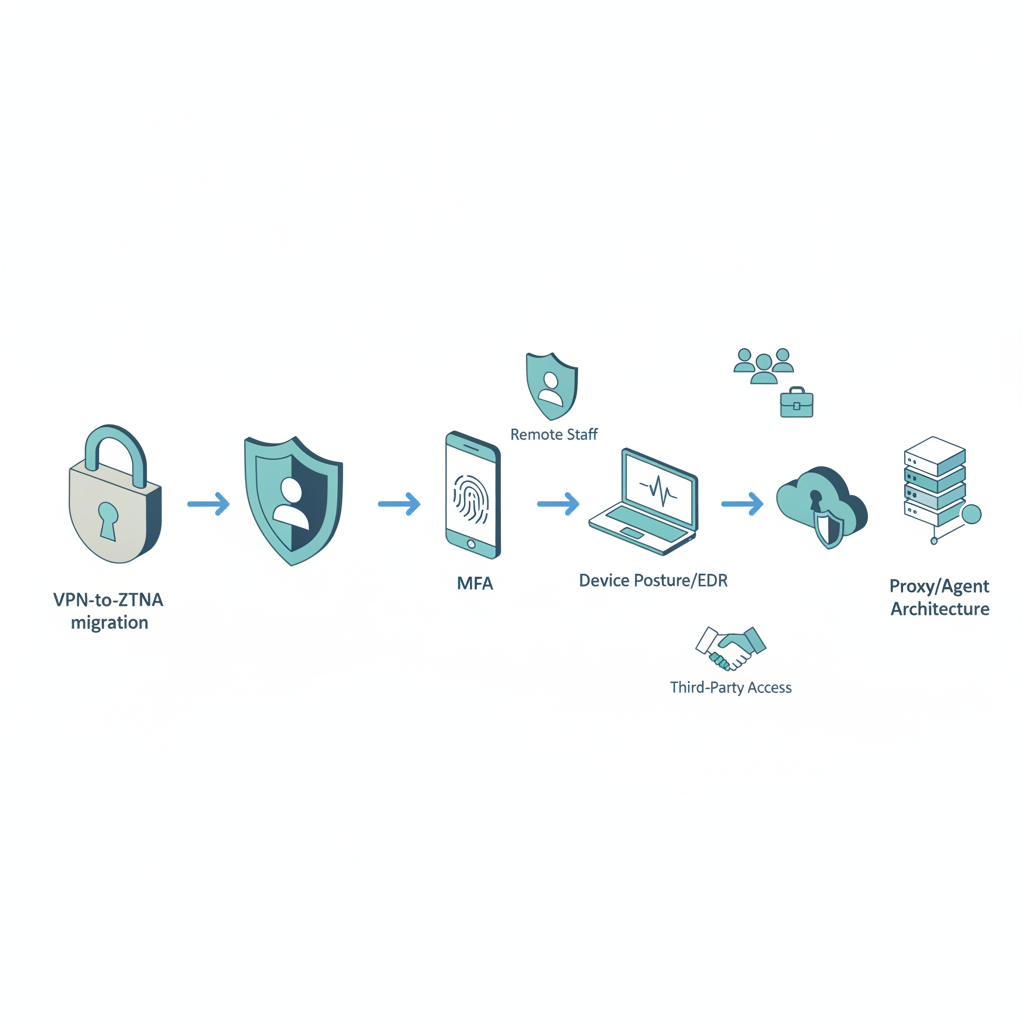
What is ZTNA and why regulated NJ & NY businesses should adopt it
ZTNA enforces access based on continuous verification of user identity and device posture rather than network location. ZTNA reduces blast radius by treating every access request as untrusted until verified. For NY-regulated entities, recent NY DFS guidance on third-party remote access controls requires demonstrable strong authentication and monitoring for vendor access, which aligns with ZTNA controls.
For NYC and northern New Jersey firms with dense remote-worker populations, ZTNA adoption helps meet audit requirements and simplifies incident forensics. Example: a mid-sized financial firm in Jersey City can restrict vendor access to only a single database-backed app for a specific 8-hour window, while logging detailed session metadata required for a DFS audit. Migration timeline for regulated SMBs: pilot 30 days, staged rollout 60–90 days.
Quotable: "ZTNA enforces access based on continuous verification of user identity and device posture."
ZTNA vs traditional VPNs — quick comparison
VPNs create a flat, implicit trust zone: once connected, a user can often reach many internal resources. ZTNA shifts to least-privilege, app-by-app access. Practical differences that matter to regulated firms:
- Authentication: VPNs typically rely on network credentials; ZTNA requires IdP integration and MFA per-application.
- Visibility: VPN logs show connections to a gateway; ZTNA produces per-application session logs suitable for audits.
- Risk containment: VPNs increase lateral movement risk; ZTNA enforces microsegmented policies and device posture checks.
Example: When a third-party auditor accesses an internal reporting portal via VPN, they might have indirect access to file shares. With ZTNA, that auditor receives a scoped, time-limited session to the portal only, and security teams get per-session telemetry.
Design access rules around roles and tasks, not IP ranges.
Pre-implementation requirements
Before buying or configuring ZTNA, prepare these artifacts so implementation doesn't stall: an up-to-date inventory of applications and owners; a prioritized list of remote-access use cases; an identity provider (IdP) plan; device posture and EDR integration requirements; and a logging/retention policy aligned to your compliance needs. Concrete thresholds: inventory every app with owner and criticality, and tag the top 20 apps that handle regulated data for first-wave migration.
Example tasks: map which SaaS apps need SSO vs. which on-prem apps require an application connector. Set log retention to at least 1 year if your auditors request longer periods. This phase prevents scope creep and keeps ztna checklist items actionable.
Identity & access baseline (MFA, IdP)
Identity is the foundation. Integrate a centralized IdP (SAML/OIDC) with MFA enabled for all accounts that access regulated systems. Example baseline: require MFA for all administrative roles, require adaptive MFA for remote logins outside defined geofences, and enforce session timeouts for high-risk apps. Define role-based access control (RBAC) rules that map to job tasks and include a least-privilege rule set.
Sample KPI: 100% of privileged accounts onboarded to IdP and MFA within the pilot window. For third-party access, use short-lived credentials or just-in-time provisioning tied to the IdP audit logs to satisfy NY DFS concerns.
Device posture & EDR integration
Device posture checks should be enforced before granting access. Define minimum posture criteria: disk encryption enabled, EDR active and reporting, OS patch level within the last 30 days, and known bad-hash blacklist. Integrate your EDR so ZTNA can query live posture; deny access if EDR reports tampering.
Example policy: block access if EDR heartbeat absent for more than 10 minutes, or if critical patches are missing for 30+ days. For remote contractors, require managed endpoints or a vetted BYOD posture agent reporting to the ZTNA control plane.
Step-by-step ZTNA implementation checklist
Follow these practical steps as ztna implementation steps to move from planning to production. Each step includes an expected artifact and owner.
- Inventory apps and owners — artifact: application register (owner, criticality, protocol). Owner: IT lead.
- Integrate IdP and enable MFA — artifact: IdP configuration document and test accounts. Owner: identity engineer.
- Configure device posture policies and EDR tie-in — artifact: posture policy matrix. Owner: security ops.
- Define access policies per app — artifact: access policy spreadsheet (user groups, allowed actions, time windows). Owner: app owners.
- Pilot with 10–20 users on high-priority apps — artifact: pilot runbook and rollback plan. Owner: project manager.
- Audit logs and SIEM ingestion — artifact: log map and retention schedule. Owner: security engineer.
- Full rollout and decommission VPN rules — artifact: decommission checklist. Owner: network lead.
| Before (VPN) | After (ZTNA) | Metric |
|---|---|---|
| Network-level access to broad segments | App-level, least-privilege sessions | Reduction in reachable hosts per user |
| Gateway logs only | Per-session app telemetry | Session-level forensic detail |
| Manual VPN client installs | Agent or browser-based connectors | Mean time to onboard |
Pilot with a narrow app set and verify both access and log quality before expanding.
Select use cases (remote staff, 3rd-party access, SaaS access)
Prioritize use cases to limit scope for the pilot. Typical order: (1) remote staff access to email and core SaaS, (2) third-party vendor access to a single application, (3) access to legacy on-prem apps via application connector. For each use case, document the exact allowed actions, required device posture, and audit requirements.
Example: For a remote salesperson, allow CRM and file-sharing SaaS via SSO with device posture pass and geo-restrictions. For auditors, provide time-bound, single-app sessions with session recording enabled where allowed by policy.
Choose ZTNA architecture (proxy-based, agent-based, SASE options)
Decide on architecture based on app location and user experience. Proxy-based (cloud) ZTNA suits browser/SaaS apps and reduces endpoint installs. Agent-based gives stronger posture signals for unmanaged devices. SASE combines secure web gateway, CASB, and ZTNA if you want unified networking and security from the cloud. Make a decision rule: if >60% apps are SaaS, favor proxy-first; if many unmanaged endpoints require deep posture, favor agent-based.
Document expected impacts: latency targets (P95 under 300ms for internal SaaS), onboarding time per user (estimate 15–45 minutes), and rollback triggers.
Pilot and expand — pilot checklist items
Pilot success criteria must be quantitative. Example checklist: 1) 95% successful connections to pilot apps, 2) all pilot sessions ingested into SIEM, 3) no critical business process blocked for more than 1 business day, 4) at least one simulated incident detected and escalated using new logs. Run for 30 days, collect feedback, then schedule waves of expansion in 30-day increments.
Capture lessons: common breaks in application compatibility, user training gaps, and any changes required to posture rules. Use these to refine ztna checklist templates for wider rollout.
Testing, monitoring & incident response integration
Testing must include functionality, performance, and security validation. Verify SIEM ingestion of ZTNA logs, test alerting for suspicious session patterns (multiple failed posture checks, unusual geolocation hops), and run tabletop incident response drills using ZTNA session data. Example test: simulate a compromised credential and ensure ZTNA blocks access based on device posture or adaptive policy within your SLA window.
Define monitoring KPIs: session log completeness (target 100%), alert-to-acknowledge time (target under 15 minutes during business hours), and mean time to contain suspicious sessions (target under 60 minutes). Integrate with existing EDR and SIEM to correlate events across systems.
Cost & ROI considerations for SMBs in NJ & NY
Costs include licensing (per-user or per-app), deployment professional services, and potential endpoint agents. Estimate ROI by comparing reduced incident impact and simplified vendor access audits. Example ROI inputs: average cost per breach avoided (use your historic or sector benchmark), time savings for helpdesk when VPN issues drop, and audit time reduced due to clearer logs.
For regulated NJ & NY firms, factor in compliance value: easier DFS audit evidence and lower third-party access risk can reduce insurance premiums or compliance overhead. Use a simple decision metric: if expected annualized reduction in incident response hours plus audit savings exceeds 1.2x annual ZTNA costs, proceed to pilot.
Vendor evaluation criteria (SLA, SOC2, local support)
Evaluate vendors on security posture, compliance, and operational support. Required checklist items: SOC 2 Type II report, clear SLA for control-plane availability, documented data residency and logging capabilities, and an API for SIEM integration. For firms required to meet NY DFS guidance, confirm vendor supports fine-grained third-party session controls and produces audit-friendly logs.
Local support matters for NJ & NY businesses that prefer east-coast engineering windows; ask vendors about support hours and escalation chains. Ask for replayable tenant demos and at least two customer references in regulated industries. For more on this, see Mssp for regulated businesses nj ny.
Migration playbook: from VPN to ZTNA (30/60/90 day plan)
30 days (pilot): onboard IdP, posture policies, and the first 5–10 high-priority apps; validate SIEM ingestion and run end-to-end tests. 60 days (first expansion): roll out to priority user groups and onboard 25–50% of apps; begin deprecating VPN access rules for those apps. 90 days (full rollout): complete phased migration, enforce ZTNA for all remote access, and decommission obsolete VPN gateways or rule sets.
Rollback triggers: failure to log sessions properly, more than 5% of users impacted without workaround, or a critical app break that halts regulated workflows. Keep a documented rollback playbook for each wave.
Who this is not for
Do not adopt ZTNA if you: (1) have single-user, single-app environments where VPN complexity is minimal; (2) lack any centralized identity system and are unwilling to invest in an IdP; or (3) cannot meet basic device-management requirements and refuse to require managed endpoints for regulated access. These conditions make ZTNA implementation likely to fail or produce no ROI.
Conclusion and quick implementation checklist
ZTNA replaces implicit network trust with continuous verification, a model that fits NY DFS expectations and eases third-party access controls for NJ & NY firms. Quick implementation checklist:
- Inventory top 20 apps and owners
- Integrate IdP and enable MFA
- Define device posture and tie EDR to gating rules
- Pilot 30 days with narrow app set
- Staged rollout over 60–90 days and decommission VPN rules
For practical help implementing these ztna checklist items and to align migration with your compliance needs, review our services or schedule a demo at our services. For immediate questions, contact us, see company background at contact us, or reach out via contact us.
FAQ
What is zero trust network access (ZTNA) implementation checklist for regulated NJ & NY firms?
Zero trust network access checklist for regulated NJ & NY firms is a practical list of steps—inventory apps, integrate IdP and MFA, enforce device posture via EDR, pilot, test SIEM ingestion, and decommission VPNs—designed to meet NY DFS third-party remote-access expectations.
How does zero trust network access (ZTNA) implementation checklist for regulated NJ & NY firms work?
The checklist works by replacing broad network access with per-application, identity-driven access that verifies user and device posture continuously, logs session-level telemetry for audits, and allows staged rollout to reduce business disruption.