
TL;DR
- Technology management tools organize assets, reduce downtime, and track costs; choose tools that match team size and risk tolerance.
- Key categories: asset inventory, monitoring, ITSM, configuration management, security, and automation.
- Follow a step-by-step rollout, use measurable thresholds, and avoid common mistakes like tool sprawl or missing ownership.

What you need to know
Technology management tools are the software and processes you use to discover, track, secure, and maintain the IT resources that run your business. Without a clear toolset, you end up reacting to outages, chasing licenses, and losing visibility when systems change.
At their core, these tools solve three problems: inventory (what you have), health (is it working), and governance (who can change it). For a small team, a lightweight asset tracker and a cloud monitoring service may be enough. However, as businesses scale, especially in today's digital landscape, understanding the importance of cybersecurity becomes essential. For an enterprise, you’ll layer IT service management (ITSM), configuration management databases (CMDB), and centralized security tooling.
When you evaluate or buy software for tech management, weigh three dimensions: scope, integration, and operational load. Scope is the range of resources a tool covers (endpoints, cloud services, network gear). Integration is how well it connects to your other systems (single sign-on, APIs, ticketing). Operational load is the effort to run the tool day-to-day (agents, updates, training).
Practical example: an organization with 200 employees might target a single-pane monitoring view and an ITSM platform with automated ticket creation for alerts, while a 5,000-person firm will need a CMDB and automated configuration pipelines to scale change control.
Maintain a single source of truth for assets; mismatched inventories create silent outages and licensing waste.
How it works
This section explains the typical process for selecting, deploying, and operating technology management tools. The sequence is discovery, classification, monitoring, response, and improvement. Each step maps to specific tools and measurable outputs.
Step 1 — discovery: use an automated asset discovery tool or agentless scanner to build an inventory. Output: a list of devices and services with identifiers you can query. For example, a scan should report hostnames, IPs, OS versions, and installed agents.
Step 2 — classification: tag assets by criticality and owner. A simple rule: mark any system that supports revenue or customer data as ‘high priority’. Concrete threshold: systems serving public APIs should be classified high-priority when P95 response latency exceeds 300ms under normal load.
Step 3 — monitoring: implement metric, log, and synthetic monitoring. Metric targets vary by application, but for typical web services aim for error rate < 0.5% and P95 latency < 200ms. Monitoring tools feed alerts into an incident system and create dashboards for the team.
Step 4 — response: integrate monitoring with an ITSM or incident management platform so alerts spawn tickets and assign ownership automatically. Define an escalation matrix: first responder (15 minutes), team lead (60 minutes), executive notification (4 hours) for high-severity incidents.
Step 5 — improvement: after incidents, run a post-incident review and feed fixes back into configuration management or automation toolchains. Track metrics such as mean time to detect (MTTD) and mean time to remediate (MTTR). Target for mature teams: MTTD under 10 minutes for critical services and MTTR under 2 hours for high-severity incidents.
Below is a numbered list of essential tool categories and what each delivers. Use this as a purchasing checklist.
- Asset discovery and inventory — establishes the canonical list of devices, VMs, containers, and SaaS accounts. Look for automatic discovery and CSV import/export.
- Monitoring and observability — collects metrics, logs, and traces; supports alerts and dashboards. Prioritize tools that offer synthetic checks and easy dashboarding.
- IT service management (ITSM) — handles ticketing, change requests, and service catalogs to manage incidents and changes.
- Configuration management / CMDB — records relationships between assets and enforces baseline configurations (e.g., Ansible, Puppet, Salt).
- Security and vulnerability management — continuous scanning, patch tracking, and single-pane vulnerability view.
- Automation and orchestration — reduces manual toil via scripts, runbooks, and pipelines; essential for consistent change rollout.
- Cost management and license tracking — tracks cloud spend and software licenses to avoid surprise bills.
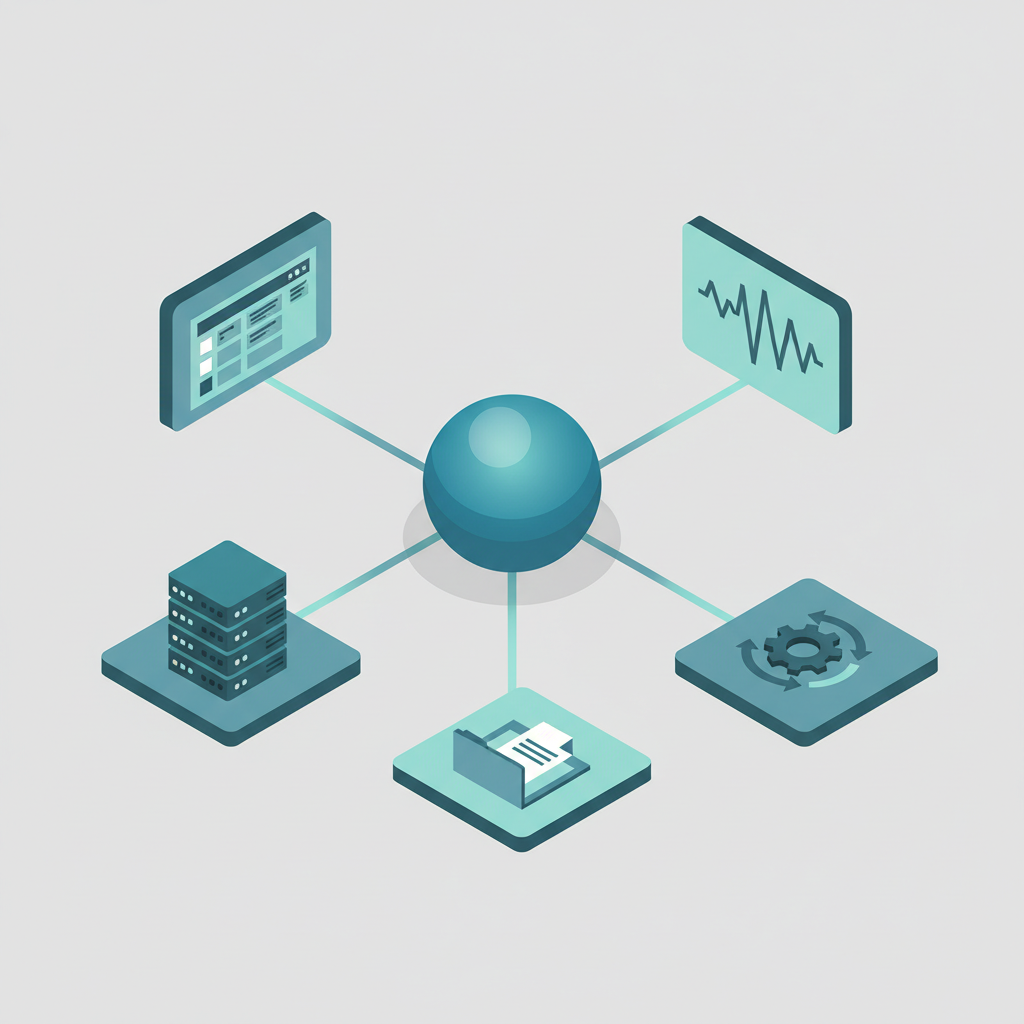
When you mix these tools, integration points matter: monitoring should push incidents to ITSM; inventory should populate the CMDB; configuration management should apply approved changes that are tracked in change tickets.
| Checklist item | Why it matters | Example threshold |
|---|---|---|
| Automated discovery | Prevents shadow IT | Daily scans with <24h drift detection |
| Alert-to-ticket integration | Ensures ownership | Tickets created <5 minutes after alert |
| Vulnerability scanning cadence | Reduces exposure window | Weekly scans; critical patches <7 days |
Automate ticket creation from alerts so ownership is immediate and measurable.
Best practices
This section gives practical tips and common mistakes to avoid during selection and operation. Follow these to keep tools useful rather than burdensome.
Start small, then expand. Pick one high-value integration (for example, monitoring → ITSM) and prove it. Rolling out too many tools at once creates fatigue and tool sprawl.
Assign tool ownership. Each tool should have a named owner responsible for configuration, upgrades, and training. A clear rule: no tool is left without an owner for more than 30 days.
Standardize naming and tagging. A simple naming convention reduces confusion: use team + environment + service (e.g., payments-prod-api). Tag assets with owner, cost center, and criticality to support automation and chargeback.
Avoid common mistakes:
- Buying overlapping tools that duplicate functionality without integration.
- Loading agents on all hosts without measuring performance impact.
- Not defining alert thresholds, causing alert fatigue.
Concrete rule: adopt an alert budget. Limit non-critical alerts to no more than 10 per engineer per week. If your team exceeds that, tune thresholds or consolidate checks.
Define measurable thresholds and a small alert budget; noise kills responsiveness and morale.
Finally, include the secondary focus: if you search for software for tech management, prioritize solutions with open APIs and clear export formats so you can replace or integrate them later without losing data. For more on this, see It cybersecurity solutions.
FAQ
What is essential tools for effective technology management?
Technology management tools are the combination of software and processes that let organizations discover, monitor, secure, ticket, and automate the maintenance of their IT assets.
How does essential tools for effective technology management work?
The system works by first discovering assets, classifying them by risk and owner, applying monitoring and security scans, routing incidents into an ITSM workflow, and using automation to remediate and improve configurations over time.
Effective technology management turns ad-hoc firefighting into predictable operations.
Assign owners, set thresholds, and automate the repetitive work to scale reliably.